Contents
In many companies, Monday morning starts the same way: someone opens last week's spreadsheet, copies data from multiple sources, applies formatting, adds charts, and sends the report by email. Or the other way around: Friday afternoon, just before leaving.
This process can take anywhere from thirty minutes to several hours. And it repeats every week, every month, every quarter. Sometimes it is the same manager who should be making decisions with that data, not collecting it.
That time has a real cost. And the problem is not just inefficiency: manual reports arrive late, sometimes contain errors, and depend on a specific person being available to produce them.
Automating a report does not mean installing generic Business Intelligence software and hoping it solves everything. It means designing a process that pulls data from wherever it lives, applies your business logic, and delivers the final output in the right format at the right time, without human intervention.
It can be as simple as a sales report that is generated and emailed every Monday at 8:00 AM, or as sophisticated as a real-time dashboard that aggregates data from your CRM, your ERP, and your marketing platform.
The key point is that the process no longer depends on someone manually running it.
Most reports generated manually in a company are candidates for automation. Common examples include:
Sales reports: revenue by period, comparison against targets, performance by sales rep or channel.
Financial reports: monthly close, cash flow, income and expense breakdown by category.
Operational reports: order status, stock levels, delivery times, open incidents.
Marketing reports: campaign performance, cost per lead, web traffic trends.
Team reports: hours logged, tasks completed, productivity by person or department.
If you generate it periodically, the data comes from systems that already exist, and the format is always the same, it can be automated.
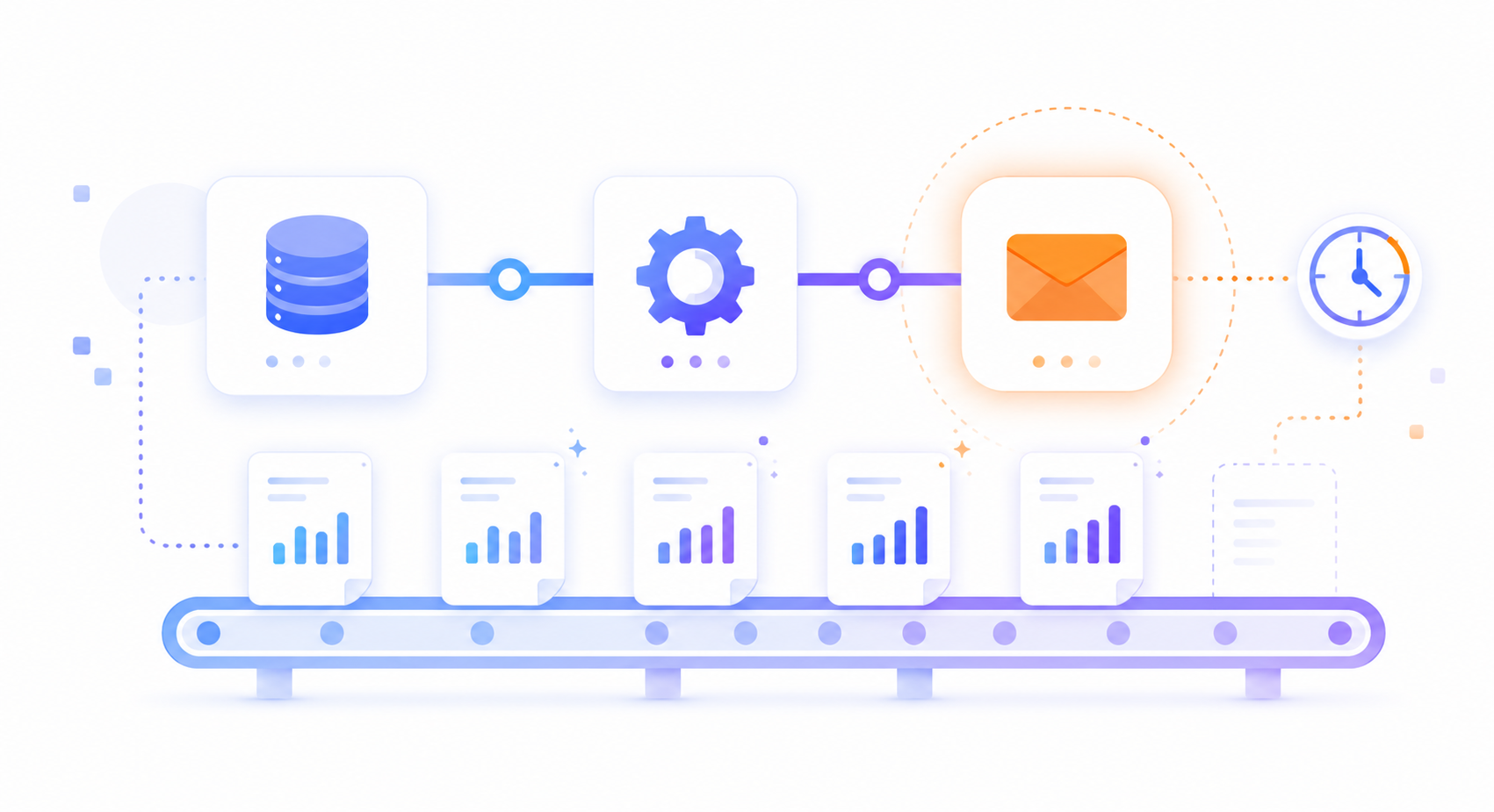
The process has three distinct parts:
Data collection: the system automatically connects to the sources (database, CRM, ERP, spreadsheets, external APIs) and extracts the required information.
Processing and calculation: business logic is applied: groupings, comparisons, derived indicators, filters by date or segment.
Delivery of the result: the final report is generated in the desired format (PDF, Excel, email, web dashboard) and sent or published automatically according to the defined schedule.
Tools like n8n, Make, or custom integrations make it possible to connect almost any combination of systems without building everything from scratch.
The choice of tool depends on the starting point: where the data comes from, which systems the company uses, and how much customisation the report requires.
n8n and Make: automation platforms that connect data sources, transform information, and send results without writing complex code. Ideal for companies using standard systems such as Google Sheets, HubSpot, Notion, Slack, or email.
Custom scripts (Node.js, Python): when the business logic is specific or the data comes from proprietary systems, a custom script gives full control over the process.
Connected dashboards (Metabase, Superset, custom builds): when the report needs to be interactive and queryable in real time, not just a static document sent by email.
In many cases, the optimal solution combines several of these components: an automation that collects and transforms the data, and a dashboard that presents it on a permanent basis.
It depends on the type of report and how often it is generated, but the typical ranges for companies that have automated their reporting are:
Weekly reports: between 2 and 5 hours saved per week.
Monthly reports: between 4 and 12 hours saved per month.
Close or consolidation reports: up to several days of work reduced to minutes.
Beyond time savings, the most relevant benefit is usually reliability: when the process is automatic, the report always arrives, always uses the same calculations, and does not depend on anyone's availability.
The most common mistake when trying to automate reports is attempting to tackle everything at once. The best way to start is to identify the report that consumes the most time or causes the most friction, and automate that one first.
Questions that help prioritise:
Which report is generated most frequently?
Which one is late or contains errors most often?
Which one depends on a single person to be produced?
Which one holds up decisions when it is not available on time?
That is the starting point. Once the first report is automated, replicating the process for others becomes much simpler.
Automating reports is not a complex digital transformation project. It is solving a specific problem: freeing up time spent on mechanical tasks and ensuring that critical information arrives when it needs to, without depending on anyone.
If your company still produces reports by hand, you most likely already have everything you need to automate them. You just need to know how to connect the pieces.
Tell us which reports you want to automate and we will show you how we can make it happen.
Any company that generates reports periodically from data that already exists in its systems. You do not need to be a large corporation: a small business with ten employees that spends two hours a week preparing a sales report has a great deal to gain from automation.
In most cases, no. Automation solutions connect to the systems you already have: your CRM, your ERP, your spreadsheets, your database. There is no need to migrate or replace anything to get started.
A simple report, such as a weekly sales summary sent by email, can be live within a few days. A more complex system with multiple data sources and an interactive dashboard may take between two and six weeks, depending on the starting point.
A well-designed system includes validations and alerts. If the source data has issues, the system automatically notifies the relevant people instead of generating an error-filled report that nobody notices.
Yes. The output format (PDF, Excel, HTML email, web dashboard) is part of the automation design and can be adapted to the needs of each recipient or distribution channel.
Our clients' satisfaction is our best introduction.
"Tengo un negocio de Paquetería, en el que vienen muchas personas diariamente, tanto para recoger como para dejar paquetes. Llevábamos años gestionando muchos de nuestros procesos de paquetería de forma manual, y gracias a Blimbur Technologies hemos dado un salto enorme. Nos desarrollaron una app móvil y una web totalmente adaptadas a nuestro flujo de trabajo, con las que ahora tenemos todo automatizado, trazable y mucho más rápido. Ahora, el cliente sabe si tenemos el paquete y al estar todo mucho más organizado, es mucho más rápido y ágil, lo que hace que los clientes vengan y se vayan con otra cara y sin esperas. El trato ha sido impecable y el resultado, todavía mejor. Un equipo serio, técnico y que se implica de verdad."