Contents
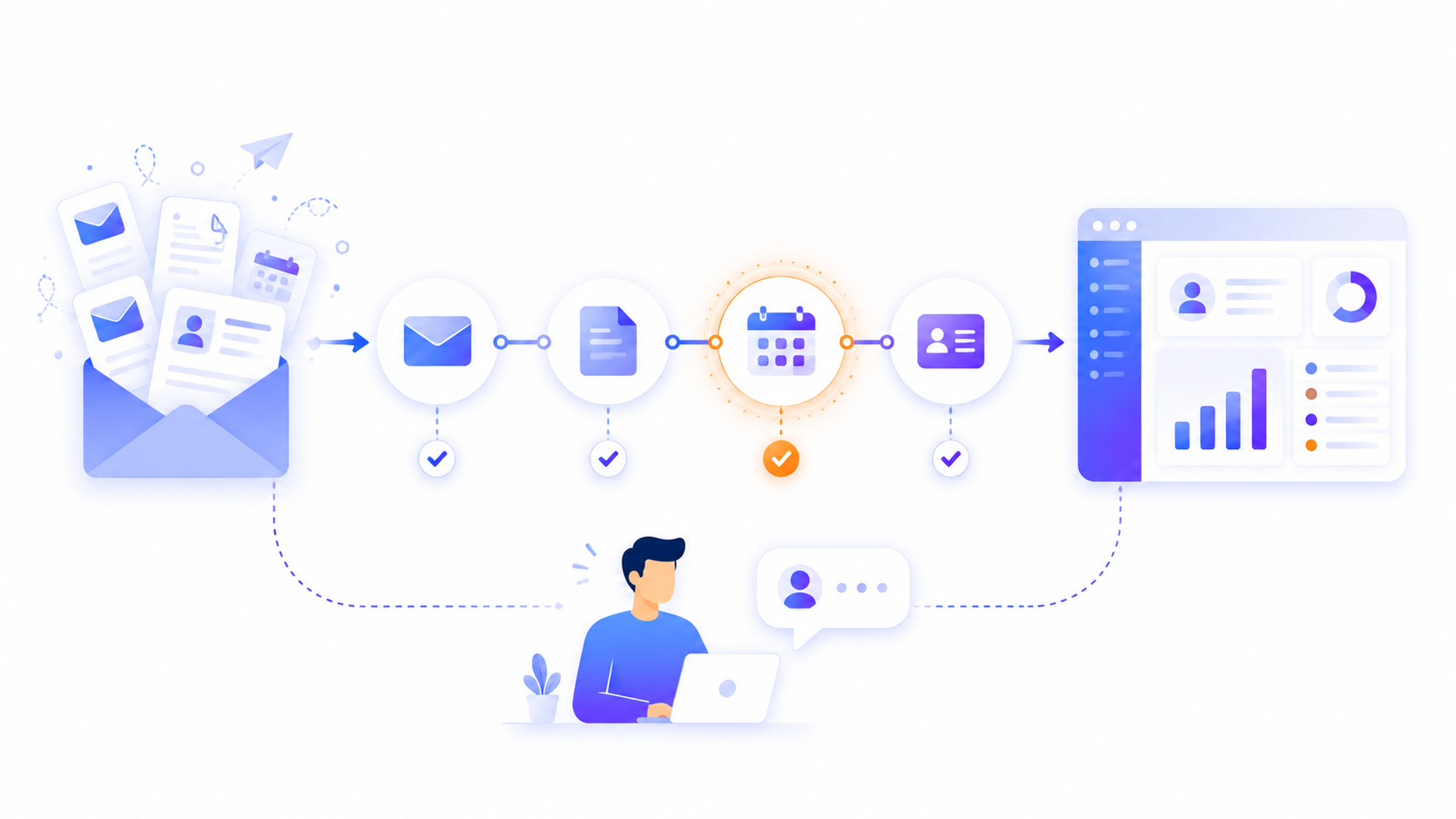
Every company has tasks that nobody designed. Someone receives an order by email, copies it into a spreadsheet, notifies another department via email/WhatsApp, and manually updates a record. Every day. Several times a day. Nobody has questioned it because it has always worked that way.
The problem is not that the process exists. The problem is that it consumes time, generates errors, and depends on people who could be doing something more valuable. And in most cases, that process is automatable.
This article explains how to identify whether a process in your company can be automated and how to get started without large investments or internal technical teams.
Not all processes are equal. Some require human judgment, empathy, or complex decisions that cannot yet be delegated to a machine. But many others are repetitive, predictable, and based on clear rules. Those are the candidates for automation.
A process has automation potential when it meets most of these conditions:
It happens frequently: it occurs at least several times a week, always in a similar way.
It is rule-based: there are defined steps that are followed consistently, even if informally.
It handles structured data: it works with forms, spreadsheets, standardised emails, or databases.
Human error has a cost: a forgotten step, a duplicate entry, or a wrongly entered value causes real problems — delays, complaints, extra work.
It does not require subjective judgment at each step: the decision does not change based on the emotional or relational context of the situation.
If your process meets three or more of these points, it is worth analysing as an automation candidate.
Beyond technical criteria, there are operational signals that usually indicate a process is ripe for automation:
Someone on your team spends hours copying information from one place to another.
The process depends on a person remembering to do it at the right moment.
There are recurring errors that are always attributed to "a slip."
When that person is absent, the process stops or someone else has to handle it without really knowing how.
You have spreadsheets that "only one person" on the team understands.
Updates between tools — CRM, email, billing, inventory — are done manually.
If you recognise any of these situations, it is not a people problem. It is a process design problem.
To make this concrete, here are some of the processes we most frequently automate for companies across different sectors:
Order management: from receiving the order through to customer confirmation, stock update, and logistics team notification — with no manual intervention.
Client or employee onboarding: automatic sending of documents, access credentials, forms, and reminders based on each person's current status.
Sales follow-up: automatic reminders to re-engage contacts, CRM updates after each interaction, and alerts when a lead has gone too long without a response.
Invoicing and collections: automatic invoice generation, delivery to the client, and graduated payment reminders — without anyone needing to step in.
Internal reporting: consolidation of data from multiple sources and automatic delivery of periodic reports to the management team, with no manual work each week.
Basic customer support: automatic classification and routing of enquiries by type, with pre-defined responses for the most common ones.
Automation has real limits. There is no point trying to automate processes that require:
Negotiation or conflict management with clients.
Strategic decision-making with many unstructured variables.
Personal relationships where human context is part of the value.
Creativity, empathy, or adaptation to unique and unpredictable situations.
That does not mean you cannot automate the administrative parts surrounding those processes. A salesperson managing complex relationships can still benefit from having follow-ups, records, and reports generated automatically.
The biggest mistake when approaching automation is trying to transform everything at once. The second mistake is never starting while waiting for the perfect moment.
A practical approach to getting started without paralysis:
Identify one process with clear friction: the one that generates the most complaints, consumes the most time, or produces the most errors. Just one.
Describe it step by step: who does it, when, what information is needed, what tools are used, what happens if something goes wrong. Write it down even if it seems obvious.
Find where information enters and where it exits: form, email, spreadsheet, internal system. Those are the integration points.
Check whether the tools you already use can be connected: most CRMs, ERPs, and management platforms have APIs or standard connectors.
Start small and measure the impact: automating a process is not a six-month project. In many cases, a first working version can be ready in days or weeks.
You do not need custom software to start automating. There are tools designed specifically to connect systems and orchestrate workflows with little or no coding:
n8n: an open-source automation tool, highly flexible with hundreds of available integrations. Ideal for companies that want full control without depending on SaaS vendors.
Make (formerly Integromat): a visual platform for building flows between tools without code. A good option for medium-complexity automations.
Zapier: the best-known option, easy to use but with limitations on complex flows and high costs at scale.
Custom development: when the process has specific requirements that no standard tool can cover, or when the automation needs to integrate deeply with internal systems.
The choice of technology depends on the process, the volume, and the degree of customisation you need. The most sophisticated tool is not always the most appropriate one.
Many companies try to automate internally and get frustrated because the process is poorly defined, the tools are not configured correctly, or edge cases were not considered. Bringing in an external technical team makes sense when:
The process affects critical business systems and an error has real consequences.
Integrations with custom software or legacy systems are needed.
The internal team does not have the time or knowledge to do it well from the start.
You want to scale automation to multiple processes in an organised way.
In those cases, the investment in a specialised external team is usually recovered quickly in hours saved and errors avoided.
If after reading this you feel that there are processes in your company that could run on their own but you are not sure which ones or how to approach them, the best way forward is a diagnostic.
At Blimbur we analyse your company's processes, identify what can be automated and with which tools, and give you a realistic roadmap — without selling you more than you need.
Tell us how your process works and we will show you what we can optimise.
A process is automatable when it repeats frequently, follows defined steps, and works with structured information such as forms, emails, or spreadsheets. If errors also have a real cost and the process does not require subjective judgment at each step, it is a clear candidate.
The most common ones are order management, client or employee onboarding, sales follow-up, invoicing and payment reminders, internal reporting, and basic customer support. These are repetitive processes that consume time and produce avoidable errors.
Not necessarily. Tools like n8n, Make, or Zapier allow automation without coding. For processes that require complex integrations or internal systems, it can make sense to bring in an external technical team to set things up correctly from the start.
It depends on complexity. A first working version of a simple automation can be ready in days. More complex automations with multiple integrations may take weeks. The key is to start with one specific process and measure the impact before scaling.
Zapier is the easiest to use but the most expensive at scale. Make offers more visual flexibility for medium-complexity flows. n8n is open source, the most technically flexible, and gives you full control without depending on a SaaS platform. The choice depends on the process and the level of customisation you need.
Yes. Processes that require negotiation, empathy, strategic decisions with many variables, or complex personal relationships are not good candidates. That said, the administrative parts surrounding them — follow-ups, records, reports — can still be automated.
Our clients' satisfaction is our best introduction.
"Tengo un negocio de Paquetería, en el que vienen muchas personas diariamente, tanto para recoger como para dejar paquetes. Llevábamos años gestionando muchos de nuestros procesos de paquetería de forma manual, y gracias a Blimbur Technologies hemos dado un salto enorme. Nos desarrollaron una app móvil y una web totalmente adaptadas a nuestro flujo de trabajo, con las que ahora tenemos todo automatizado, trazable y mucho más rápido. Ahora, el cliente sabe si tenemos el paquete y al estar todo mucho más organizado, es mucho más rápido y ágil, lo que hace que los clientes vengan y se vayan con otra cara y sin esperas. El trato ha sido impecable y el resultado, todavía mejor. Un equipo serio, técnico y que se implica de verdad."